Solve Implicit Conversions
One of the features of Julia is that you do not have to provide types for every value. This makes it easy to write code quickly. The compiler figures out the types based on how values are used. Most of the time this works well, and you do not have to think about it. However, this behavior can sometimes affect performance. The compiler may add extra work behind the scenes to make your code run correctly. This is not visible in your source code, and it is also not always obvious when running the program. This guide shows what happens in these cases and how it can lead to extra allocations and slower code.
The Code
Below is a small code snippet that we will use for explaining the issue.
The code sample has the goal of showing the behavior of the issue. It does not represent real world code, and might not keep all the standards and best practices.
using CodeGlass
using JSON

struct MyItem
    value1::Real
    value2::String
    value3::Bool
end

function find_items(y)
    items = load_data()
    return filter(item -> item.value1 <= y, items)
end

function load_data()
    raw = JSON.parse("""
        [
            {"value1":1.1,"value2":"Hello","value3":true},
            {"value1":5.6,"value2":"world","value3":true},
            {"value1":12.3,"value2":",","value3":true},
            {"value1":16.5,"value2":"how","value3":false},
            {"value1":20.4,"value2":"are","value3":false},
            {"value1":69.9,"value2":"you","value3":false},
            {"value1":80.1,"value2":"today","value3":true},
            {"value1":99,"value2":"?","value3":false}
        ]
    """)
    return [MyItem(item["value1"], item["value2"], item["value3"]) for item in raw]
end

items = @cgprofile find_items(100.0)
This example loads JSON data, converts it into a struct, and filters the items.
Before the find_items call, we add the cgprofile macro defined in the CodeGlass.jl package. This will automatically create a recording of the call, allowing us to focus on just the code that we are interested in.
The Implicit Conversion
Looking at the find_items function in CodeGlass, the code body reconstruction shows a call to filter. Just like we expected.
However, the filter call allocates more memory than expected. You would expect, filter to just loop over the array and apply the condition.
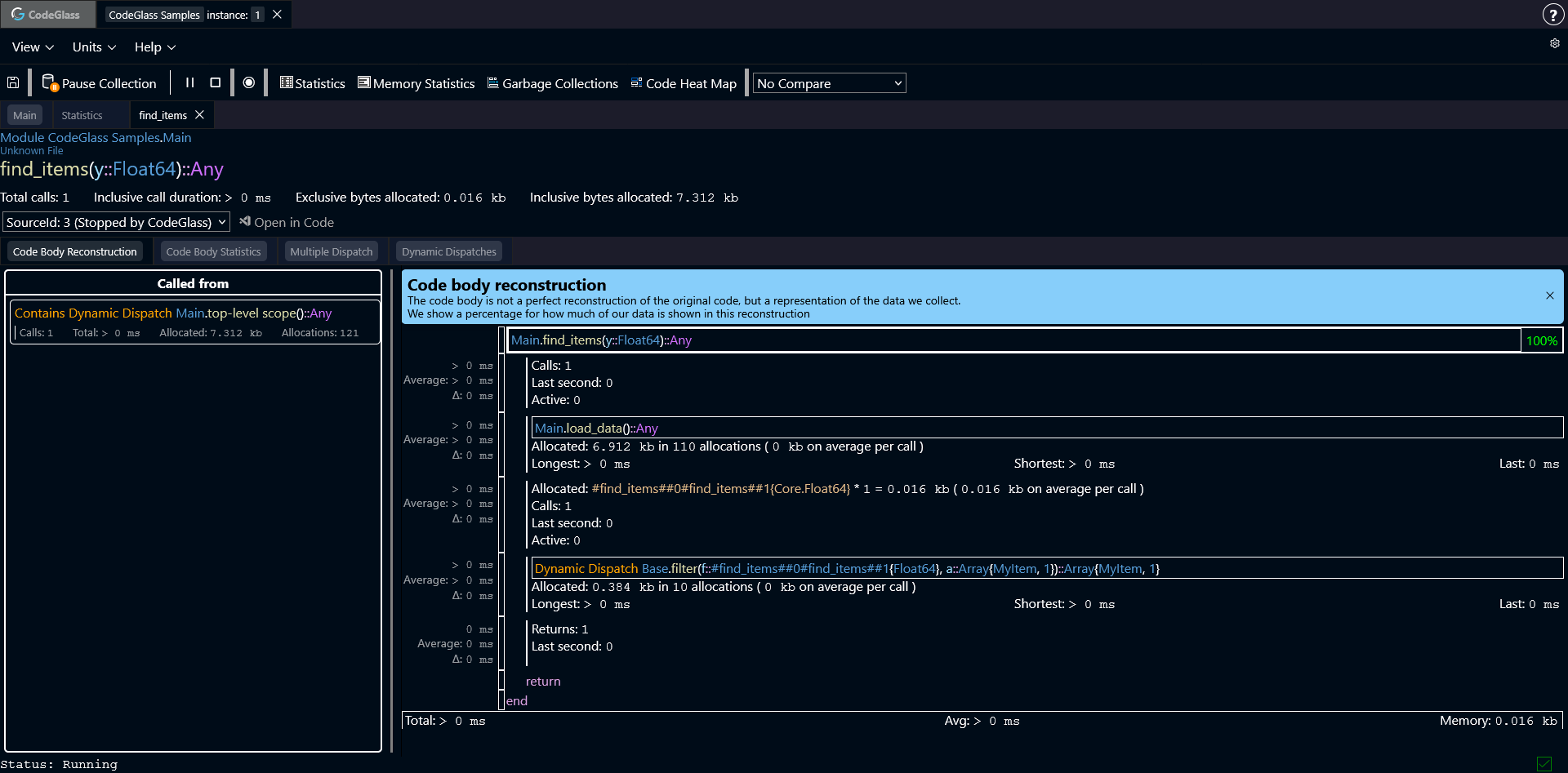
Looking deeper, we find the lambda function passed to filter. These functions often have generated names, such as #find_items##0.
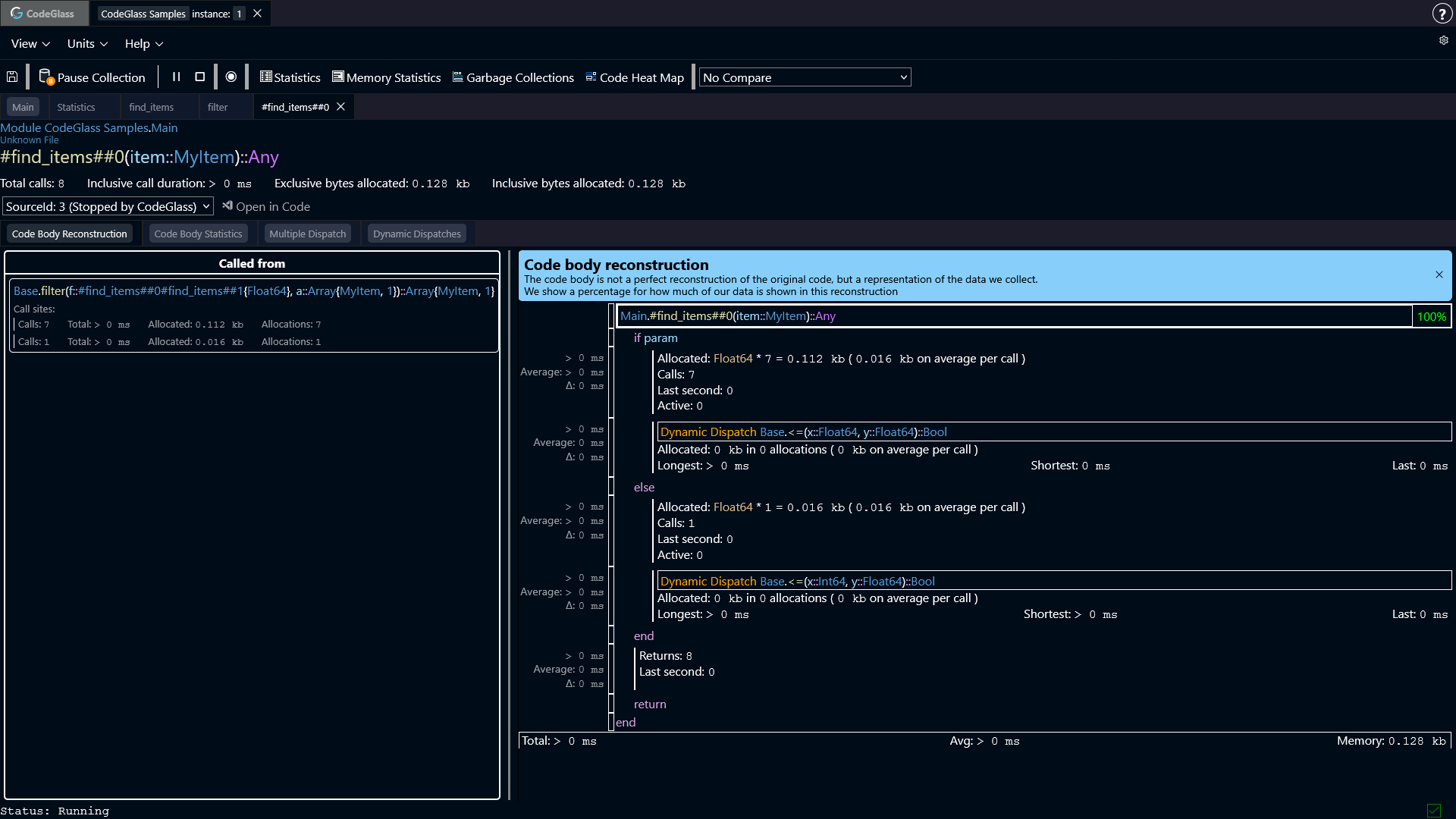
Inside this function, the compiler created multiple code paths for the <= call. It also had to use dynamic dispatch, because it could not determine the exact types.
Before calling the comparison, a Float64 is allocated. This happens because the compiler inserts implicit conversions to make the types match.
In this example, the allocation happens once per item. With only 8 items this is small, but with larger datasets this quickly adds up.
Fixing the Issue
One way to avoid these allocations is to make the types more explicit.
function find_items_noalloc(y)
    items = load_data()
    return filter(item ->
        (
            ( item.value1 isa Float64 && (item.value1::Float64) <= y)
            || (item.value1 isa Int && (item.value1::Int) <= y)
            || item.value1 <= y
        ), items)
end

items = @cgprofile find_items_noalloc(100.0)
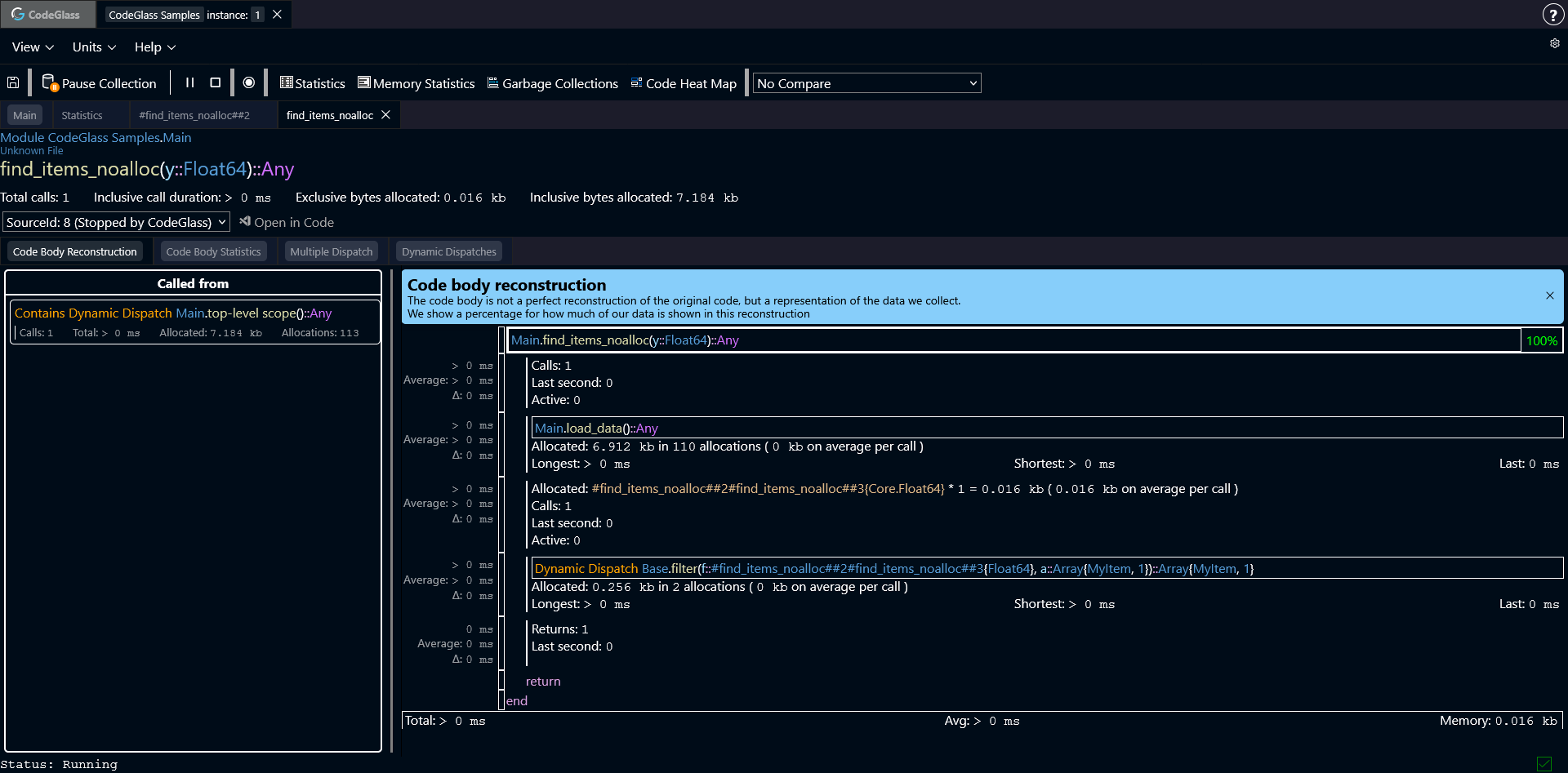
Running this version shows fewer allocations in the filter call.
Looking at the lambda function again shows that no extra calls or allocations are needed.
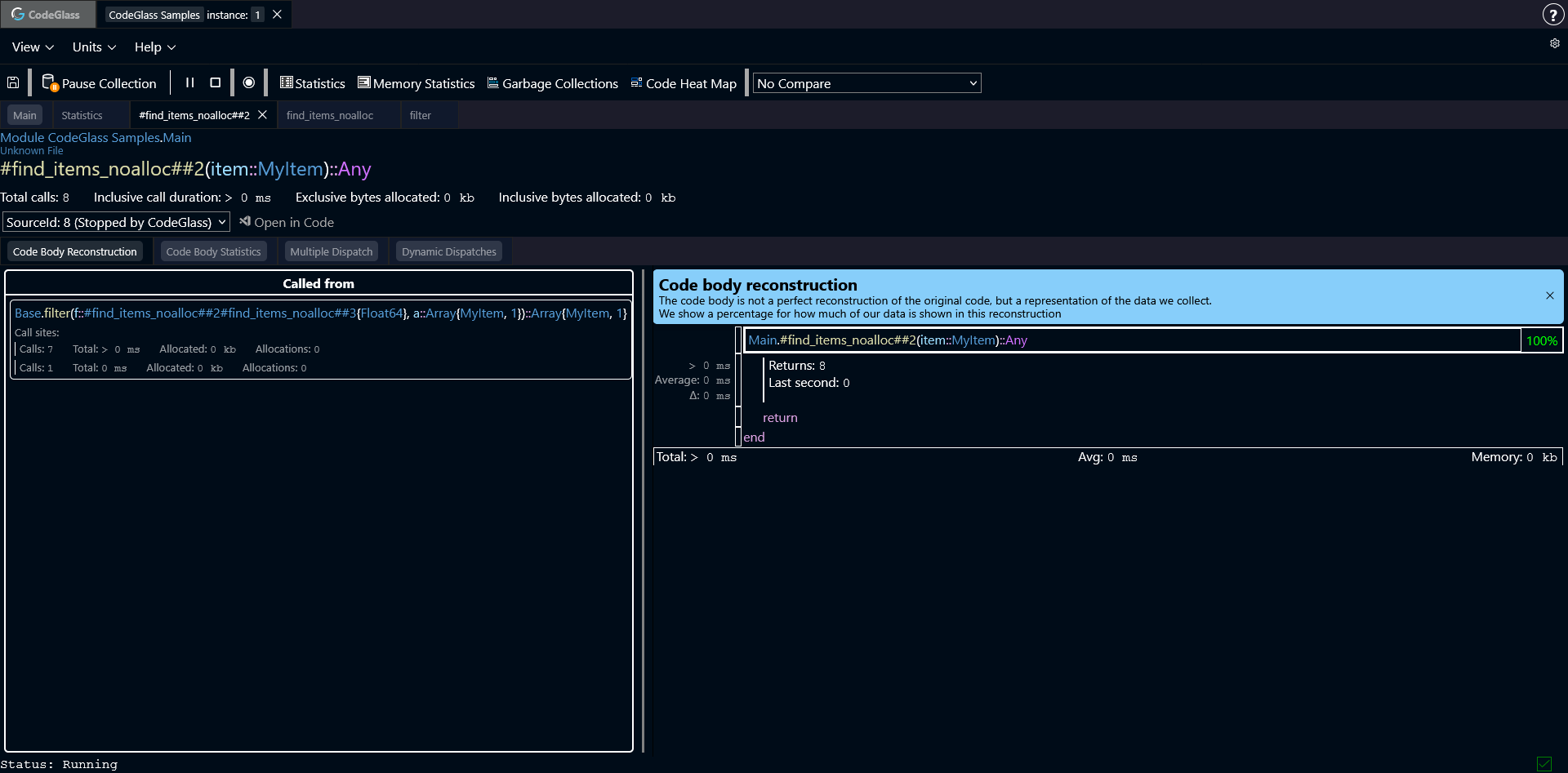
Because the types are now clear, Julia can fully optimize the code and inline the operations.
How To Find These Issues
Now that we know how these issues happen and what they look like, you probably have the question: How can I find these issues.
Unfortunately there is no simple answer to this question. But CodeGlass can help you.
One of the places that we have often found implicit conversion is around operator functions.
Operator functions are functions like: +, -, <=, etc. You can use the search bar on the statistics screen to search for these functions.
Julia might make many specialized versions of these functions, so make sure that you also check the multiple dispatch view.
Another way to find these conversions is by checking where primitive types get allocated a lot. Primitive types, like: Int64, Float64, Bool, etc, usually shouldn't allocate any memory.
Only when the value has to get boxed, does it get allocated. A primitive type that is allocated, is (most of the time) something that is not supposed to happen and worth investigating.
You can use the memory statistics view, to see all allocated objects. By double clicking on any of these objects, you can also see in which function they got allocated on the memory allocator view.
A last way to find implicit conversions is when it gets passed as a value to a function that expects an abstract type.